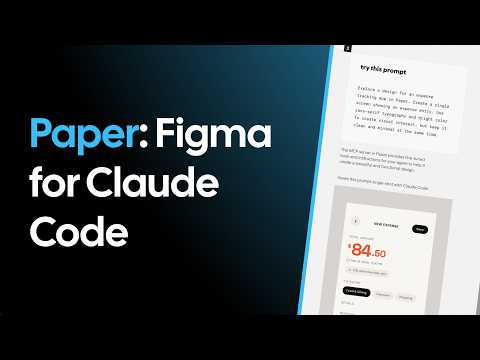
Paper: The new AI design app everyone's talking about
Key Takeaway
Paper is a revolutionary AI-powered design application that bridges the gap between UI design and development by allowing engineers to generate, edit, and export production-ready code through natural language prompting and MCP integration.
Highlights
Paper is an AI design tool described as "Figma for Claude code or Cursor," enabling seamless transitions between design components and code.
The application integrates with Claude code via an MCP (Model Context Protocol) server, allowing users to prompt designs into existence from the terminal.
Users can generate complex UI elements, design systems, and landing pages in parallel using terminal multiplexers like Tmux.
Paper features a unique uniform color picker that solves the common discrepancy between Figma hex codes and actual browser rendering.
The tool allows for high-fidelity exports, including React with Tailwind CSS, standard HTML/CSS, and AI-generated marketing imagery.
A key feature is the ability to import existing codebases into Paper to visualize and edit design systems before pushing changes back to code.
Timeline
Introduction to Paper and Setup
The speaker introduces Paper as a design tool specifically built for the era of AI coding assistants like Claude code and Cursor. He demonstrates the core value proposition: the ability to control a desktop design environment through a terminal-based AI. To get started, users must download the app from paper.design and install a local MCP server to establish a communication bridge. This setup allows the AI to have a 'scope' over the computer's projects, enabling it to write directly to the design canvas. The speaker highlights that top-tier companies like Vercel and Dub are already utilizing this technology for their workflows.
Parallel AI Design Generation
Using a Tmux-style terminal setup within the Ghosty terminal emulator, the speaker demonstrates the power of running multiple design tasks in parallel. He issues four distinct prompts simultaneously: an expense tracking app, a 'wow' factor landing page, a finance dashboard, and a Twitter-like design system. This section illustrates the efficiency of AI design, where Claude code 'thinks' through a design brief and selects color palettes automatically. The speaker emphasizes that this parallel workflow represents his modern approach to coding and design. It showcases how a single developer can orchestrate multiple complex design projects at once without manual drawing.
Analyzing Generated UI and Design Systems
As the parallel tasks complete, the speaker reviews the output within the Paper desktop application, noting the professional quality of the UI. He examines the expense tracking app and a comprehensive design system, remarking that the quality rivals what a professional designer might charge thousands of dollars for. The interface is intentionally similar to Figma, making it intuitive for those familiar with industry-standard design tools. A key interaction shown is the ability to provide feedback to the AI, such as requesting the removal of a specific 'upload' section. This iterative process demonstrates that the designs are not static images but fully editable vector components.
Code Export: React, Tailwind, and HTML
The speaker focuses on the technical translation of designs into functional code using built-in 'copy as Tailwind' or 'copy as React CSS' features. He demonstrates how Claude code can automatically generate an HTML/CSS version of the designs and open them directly in a web browser for immediate inspection. When testing the code in a real React application running on localhost, the speaker finds that the components look almost identical to the design. Although he notes some issues with responsiveness in the initial output, he remains impressed by the high fidelity of the one-shot generation. This section proves Paper's utility as a bridge that eliminates the manual work of translating CSS properties from a design tool to a code editor.
AI Image Generation and Special Effects
Beyond layout design, Paper includes integrated AI image generation capabilities using models like 'Nano Banana Pro.' The speaker prompts the tool to create a marketing ad for his project, 'Inbox Zero,' and observes how the AI generates several variations including logos and thematic graphics. He explores the 'Variety Pack' feature, which provides different creative directions in a single request. One specific model produces a particularly impressive graphic that captures the brand's aesthetic as a 'fast track to calm.' This functionality suggests that Paper is intended to be a complete creative suite, handling both structural UI and illustrative marketing assets within the same workspace.
Uniform Color Space and Codebase Analysis
The final section covers advanced features like the world's first uniform color picker, which ensures that colors appear identical in the design tool and the final website. The speaker explains the frustration of hex codes shifting appearance between Figma and the browser, a problem Paper claims to have solved. He also attempts to generate a design system based on an existing codebase, though he hits a weekly MCP tool limit for Paper Pro during the demo. Despite the limit, he explains the immense value of being able to edit live code visually and export it back without taking manual screenshots. The video concludes with a showcase of a Twitter-style social app UI and a call to action for viewers to explore AI-driven design.
Description
Inbox Zero: https://getinboxzero.com Inbox Zero Repo: https://github.com/elie222/inbox-zero Paper: https://paper.design In this video I test Paper, a new design tool that feels like Figma for Claude Code and Cursor. I show how to connect the Paper MCP server, generate multiple app UIs in parallel, edit the results visually, and then turn those designs into real code with React, Tailwind, or plain HTML/CSS. I also try Paper’s image generation, visual effects, color workflow, and its ability to create a design system from an existing codebase. What’s covered: 0:00 - Using Paper with Claude Code 1:14 - Generating landing pages, dashboards, and design systems 1:43 - Editing AI-generated UI like Figma 3:01 - Copying components as React + Tailwind or CSS 4:24 - Turning designs into real working pages 8:24 - Testing image generation and built-in effects 10:24 - Importing an existing codebase into Paper If you’re building with AI tools like Claude Code or Cursor, Paper looks like one of the most interesting design-to-code workflows I’ve seen so far. --- Inbox Zero organizes your inbox, drafts replies in your voice, and helps you reach inbox zero fast. Never miss an important email again. https://getinboxzero.com GitHub: https://github.com/elie222/inbox-zero ⭐ --- Follow me on X: https://x.com/elie2222 Join the Newsletter: https://aiopensource.substack.com/ #figma #paperdesign #paper #ai #claudecode #cursor #design