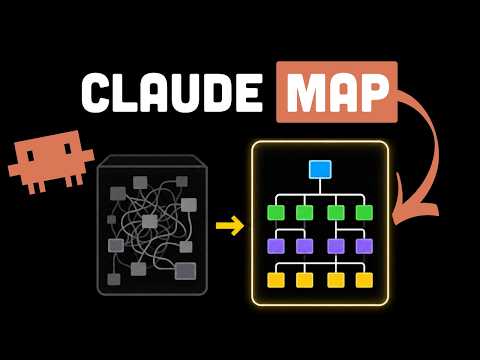
How to Finish Analyzing 500,000 Lines of Legacy Code in a Day and Leave Work on Time
Resolving Network Scan Errors in Enterprise Security Networks and Large Repositories
Network block errors occur when running terminal-based development tools in corporate firewall and proxy environments. The cause is corporate root certificate verification failure. Due to runtime characteristics, it bypasses the operating system's default store.
Settings must be added directly to the terminal profile. Enter the corporate proxy address in the HTTP_PROXY and HTTPS_PROXY variables. Specify the corporate root certificate file path in the NODE_EXTRA_CA_CERTS variable. Setting ANTHROPIC_BASE_URL to the local Ollama endpoint and CLAUDE_CODE_DISABLE_NONESSENTIAL_TRAFFIC to 1 blocks external communication. This complies with firewall rules, eliminates scan errors, and reduces setup time.
Running a full scan on a monolithic repository with over 500,000 lines takes 30 minutes or stops due to heap memory errors. In a 16GB RAM environment, a local model of 14B or 20B size must be used to keep the scanner running. Create a .understandignore file in the project root.
The method to apply exclusion patterns is simple. Create the file in the top-level directory and write the paths **/node_modules/, **/target/, **/build/, and **/src/test/. Run the command NODE_OPTIONS="--max-old-space-size=8192" in the terminal to increase the Node.js heap memory limit. As the number of files to be analyzed decreases, the initial scan completion time drops to under 3 minutes.
Preventing Wrong Answers by Limiting Query Scopes
When you ask questions targeting an entire giant repository, tens of thousands of nodes in the knowledge graph are loaded at once. Hallucinations occur. It confuses legacy payment classes with new payment classes and brings up methods that do not execute. The business logic area must be narrowed down.
The procedure for limiting the query scope to a specific directory is as follows. When viewing a single file, append the relative path of the target file after the command. When grasping the domain flow, run a command that extracts only nodes within a specific domain boundary. When using chat commands, also specify the directory path to review and exclude the test folder. As the number of nodes decreases, the code navigation accuracy increases.
It is dangerous to modify code immediately by trusting only the results given by the AI. You must directly cross-reference whether the knowledge graph output and the actual source code match. Open the IDE file explorer to see if the method mentioned by the AI actually exists. Verify the call relationships and check transaction scopes and mapping files. Run a command to analyze the ripple effect before modifying the code.
Independently Extracting System Flowcharts with the Guided Tour Feature
In legacy systems where the person in charge has resigned and there is no documentation, you have to search through dozens of files just to figure out a single API. Using Understand-Anything's tools, a tour is created that guides you through the system in order of layer-by-layer dependencies starting from the entry point. There is no need to ask a senior developer every time.
The method to extract the request and response flow graph is as follows. After finishing the knowledge graph analysis, bring up the dashboard UI. Select the tour feature from the menu or enter the command directly. Visually trace the execution flow by sequentially following the nodes leading from the API entry point to the backend services and databases.
When touching legacy code, side effects must be calculated in advance. After editing the code and before committing, run a command that converts modified files into graph nodes. Comprehensively calculate the connected nodes. Understand in advance the impact that changes will have on existing APIs or batch jobs.
The analyzed assets are extracted into Markdown and registered in the internal wiki. Commit the knowledge graph file generated after the scan completes to clear documentation debt. If the file is large, manage it with Git LFS. Configure large file tracking, upload the configuration file to the repository, and use it as an onboarding guide. By setting an incremental pipeline to run on every commit, you can maintain the latest architectural state without having to run a full scan every time.