Build Your Own Browser Survival Game with AI Agents and Sprite Tools
Creating Character Sprite Sheets with Open-Source Image Tools
There's no reason to spend money on outsourcing. Outsourcing character animation takes at least 10 hours and costs over $500. You can save costs by generating a texture atlas all at once with an AI image generator. Enter a 16-bit SNES style pixel art prompt to generate a sprite sheet with a solid-color background, then run transparency processing using a CLI tool.
Open a terminal and enter the command rembg i -m u2net raw_spritesheet.png transparent_spritesheet.png to erase the background using the U2Net model. Next, clean up the remaining white pixels with the command magick transparent_spritesheet.png -fuzz 15% -transparent white cleaned_spritesheet.png. Finally, enter the command magick cleaned_spritesheet.png -crop 32x32 +repage tiles/frame_%02d.png to split it into a 32x32 pixel tile set. A frame-by-frame sprite sheet is completed in just one hour.
Locking the Aspect Ratio with a 960x540 Logical Resolution
You cannot play a game if the mobile and desktop aspect ratios break. To maintain the same field of view regardless of the display environment, you must fix the engine's internal logical resolution to 960x540. Applying flexbox and object-fit: contain properties in CSS can prevent mobile and desktop aspect ratio distortion. Introduce the ResizeObserver API to fundamentally block rendering breakage phenomena.
To convert the mouse position into virtual coordinates, you must go through mathematical correction using the getBoundingClientRect method. After finding the actual boundary coordinates of the canvas inside the event listener function, subtract the canvas top-left offset from the client mouse coordinates. Next, multiply by the scaling ratio obtained by dividing the buffer resolution width by the canvas screen width to calculate the final virtual coordinates. Applying this formula prevents click position errors even in screen scaling environments.
Running AI Agents Separately with a Terminal Multiplexer
If you simultaneously run AI CLI agents like Claude Code or Aider in a single terminal, the context breaks and the code conflicts. Split the terminal window vertically and horizontally to station the main game logic agent, UI pipeline agent, and build test monitoring session in independent spaces respectively. Combining Git Worktree and a separated prompt file structure prevents role conflicts between agents.
The procedure for building independent working directories is simple. Enter the command git worktree add ../agent-engine-worktree -b feature/game-engine in the terminal to create a game engine-dedicated worktree. Next, run git worktree add ../agent-ui-worktree -b feature/canvas-ui to separate the UI-dedicated directory. Constantly run the npm run test -- --watch command in the bottom-right test pane to monitor real-time logs, manually verify changes, and then integrate them into the main branch. File lock conflicts disappear completely.
Tuning Collision Errors by Setting Hitbox Judgment Areas
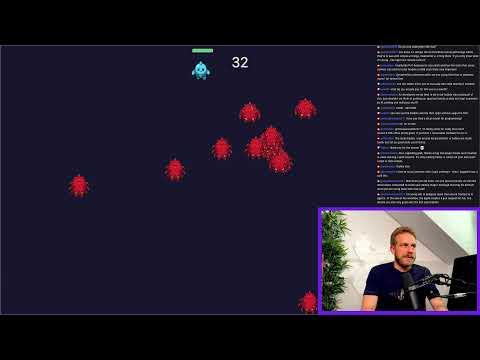
If you set the entire visual sprite of 64x64 pixels, which includes transparent margins, as the collision range, hit detection will trigger even when the character hasn't touched anything. You must strictly separate the visual sprite area and the hitbox area recognized by the actual physical engine, defining an axis-aligned bounding box centered on the target's center point. When hundreds of enemies appear on the screen simultaneously, applying a spatial hashing algorithm can drastically reduce time complexity.
Initialize a SpatialHashGrid class that divides the logical screen into 60x60 pixel grid cells and insert each entity's AABB area. Implement a takeDamage method inside the player class that sets an invincible duration of 1000 milliseconds to prevent instantaneous death judgments every frame. When an entity overlaps with an enemy, checking the invulnerability state variable and applying damage conditionally maintains stable frames even in concurrent computation environments of over 500 objects.
 2:05:35